Foliage Recipe for Rivermark/Training (Pink flowers here were originally by Jason McKenzie)
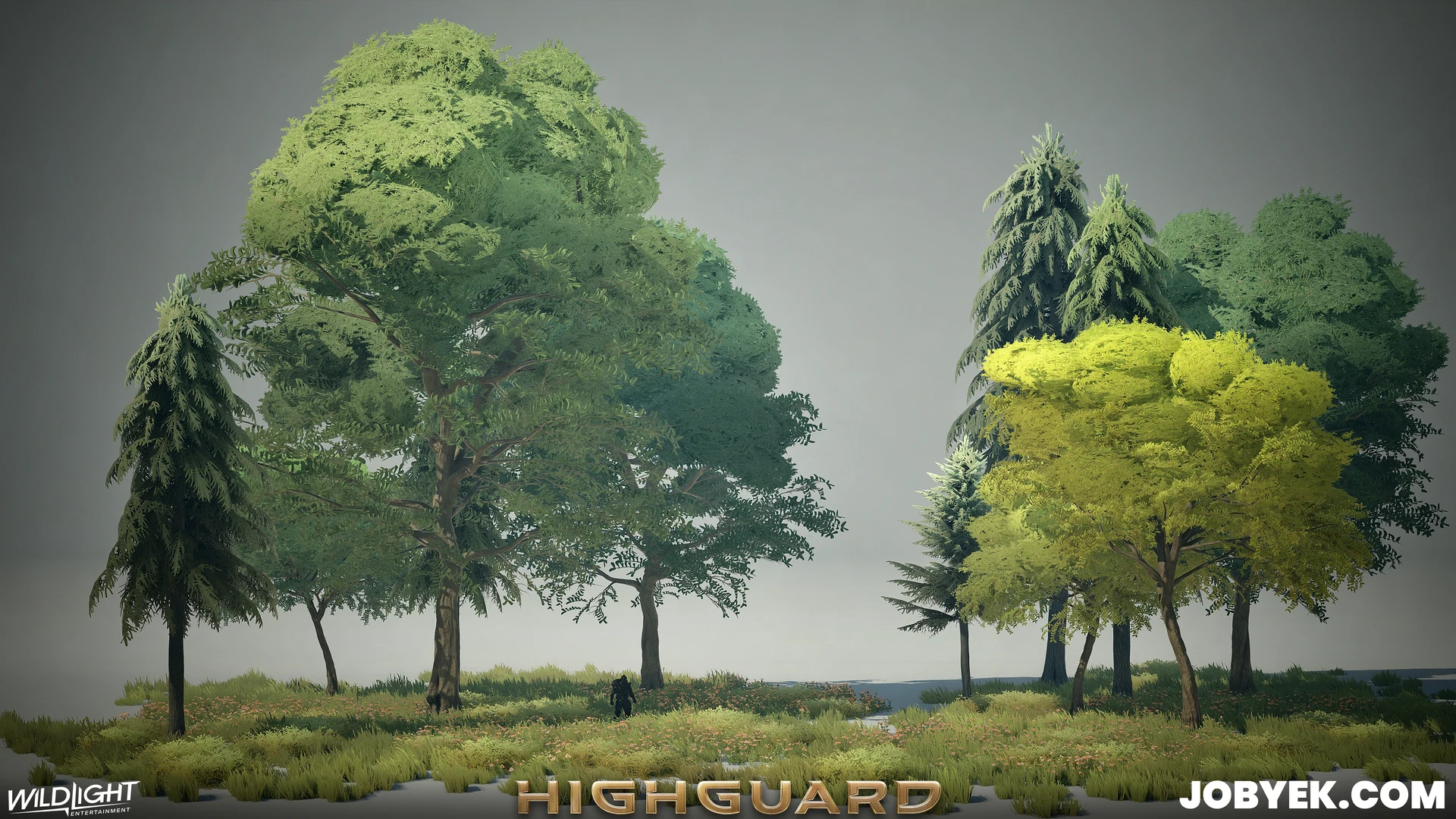
Foliage Recipe for Rivermark/Training (Pink flowers here were originally by Jason McKenzie)

Foliage Recipe for Vesper City

Foliage Recipe for Vesper City

Foliage Recipe for Kingdom (Red flowers here were originally by Jason McKenzie and I re-used/tweaked)

Foliage Recipe for Kingdom (Red flowers here were originally by Jason McKenzie and I re-used/tweaked)

Foliage Recipe for Dustline

Foliage Recipe for Dustline

Foliage Recipe for Map 7 (Dragon Map)
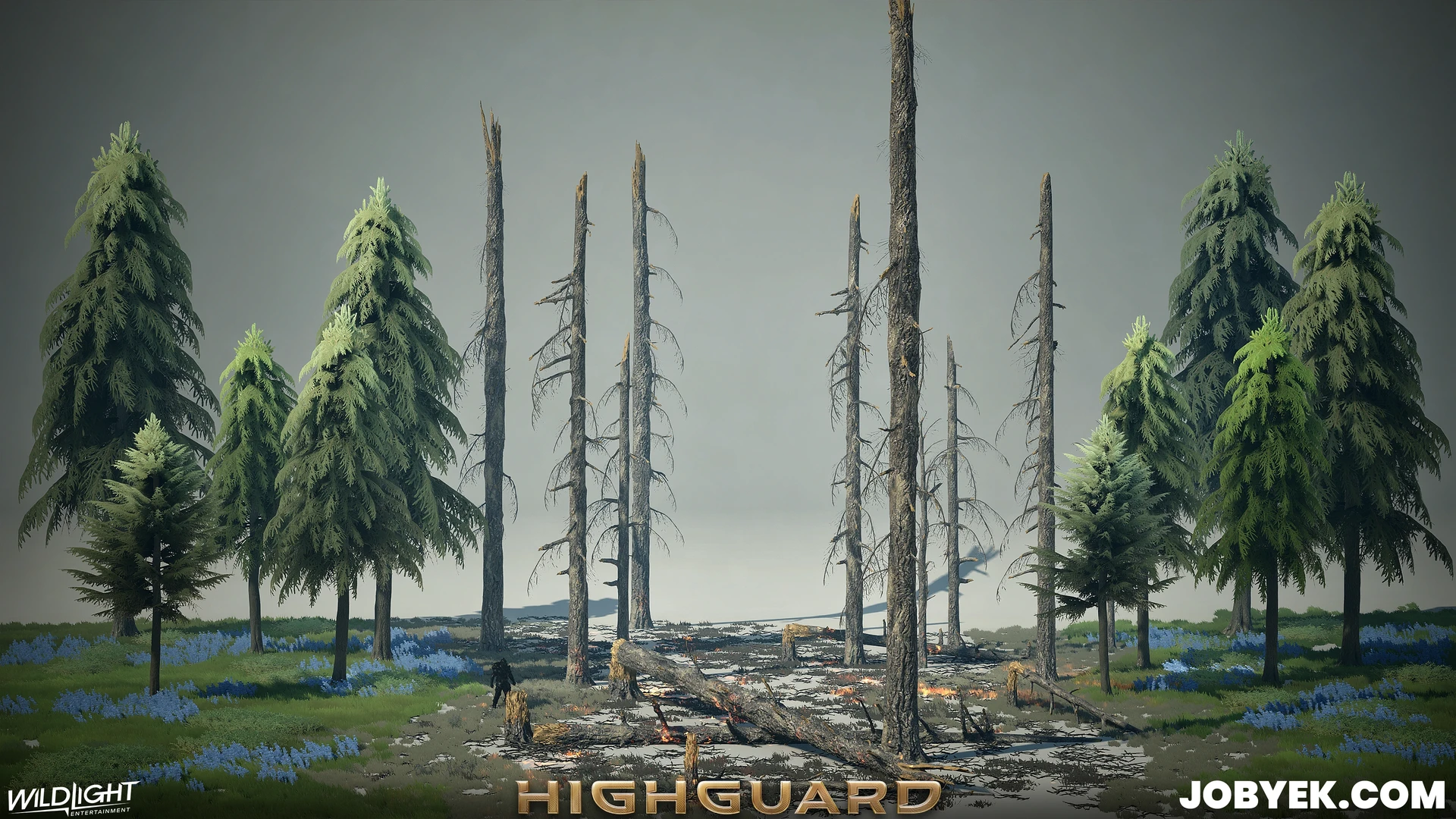
Foliage Recipe for Map 7 (Dragon Map)
Video of tree destruction in action - I set up destruction on all the trees in the game.
Foliage on Highguard was a fun challenge to work on in many aspects.
ㅤ
- Trees in particular, first, needed to hit a certain visual style that our AD Taube established early on in pre-production before I joined - he wanted to go for a fluffy Miyazaki-style look to it with an emphasis on gradients and simplified shape language. All my normal bag of tricks for realistic trees had to go out the door as the demands of the more stylized look required some out of the box thinking with how I setup the meshes. I often started from simple shapes like elongated spheres, half spheres, etc. to establish the base shapes and build up the larger shape to hit a more simplified macro shape.
ㅤ
- Second, we originally needed all trees to be destructible as part of the core gameplay of our Raid Mode - that changed however towards the last leg of development and any gameplay benefits trees had were removed as part of addressing feedback that came up in User Research Tests/UXR. The destruction ended up being purely cosmetic in the end. (See a video of this in action at the end of the post) That said, working on trees with Mohammad Alavi was a treat, it was great to see him in action up close and personal and work with him closely on making the destruction the best it could be. We ended up using a simple model swap system of anywhere from 3 to 6 states depending on the tree size. Mo created a flexible Action Script/Blueprint setup that was relatively easy for me to pickup and setup tree destruction with once I created the model states with Jose Zavala's great Tree Destruction Houdini Tool. I setup destruction on all trees for the game and initial worked with Jose to create the visual benchmark for tree destruction, it was a big team effort. Given the setup cost for destruction, we had to keep a tight lid on tree variants. As you may have noticed, we re-use and re-skin tree sets a lot across maps to not have to keep re-doing new destruction for new tree sets.
ㅤ
- Third - with the use of Nanite, that ended up changing a lot of the normal tree workflows. In the end, we did end up using Masked Materials for the tree tops, however, we were able to better afford it by using shadow proxies that used opaque geo. For the all ground foliage (grass, flowers and bushes), those used all opaque geo - I'd create a standard masked material, but then would use a quick little Houdini tool I made to cut up the opacity mask to create usable opaque geo. That was my first and only Houdini tool I was able to dabble with at the tail-end of Pre-Production and I used it for most of Production. Luckily though my Lead, Jose, was able to come in towards the end and make a better version of it that we were able to use at the end optimization stage to help convert a lot of our straggler ground-level masked material foliage geo (things like old hanging vines from pre-pro, hay bail props, bushes that were still masked, etc.).
ㅤ
Our environments were a colossal team effort by a relatively small team by AAA standards (we shipped with 7 Environment Artists with no environment outsourcing!). There was a lot new we had to built, but we also had to be efficient and smartly re-use the asset bank that we built up across maps.
_________________________
Art Director / Lighting:
https://www.artstation.com/rtaube
_________________________
Lead Environment Artist:
https://www.artstation.com/jzartist
_________________________
Environment Artists:
https://www.artstation.com/jobyek
https://www.artstation.com/paultran
https://www.artstation.com/jakevirginia
https://www.artstation.com/artkristen
https://www.artstation.com/shong1123
https://www.artstation.com/dbentley3d
_________________________
Environment Concept Artists:
https://www.artstation.com/gabe-11
https://www.artstation.com/nicholasschumaker
https://www.artstation.com/gabberwocky
_________________________
Game Designer for Trees:
Mohammad Alavi
_________________________
FX Artist:
https://www.artstation.com/mreberg
https://www.artstation.com/ryanbartonvfx
Christopher Shepherd